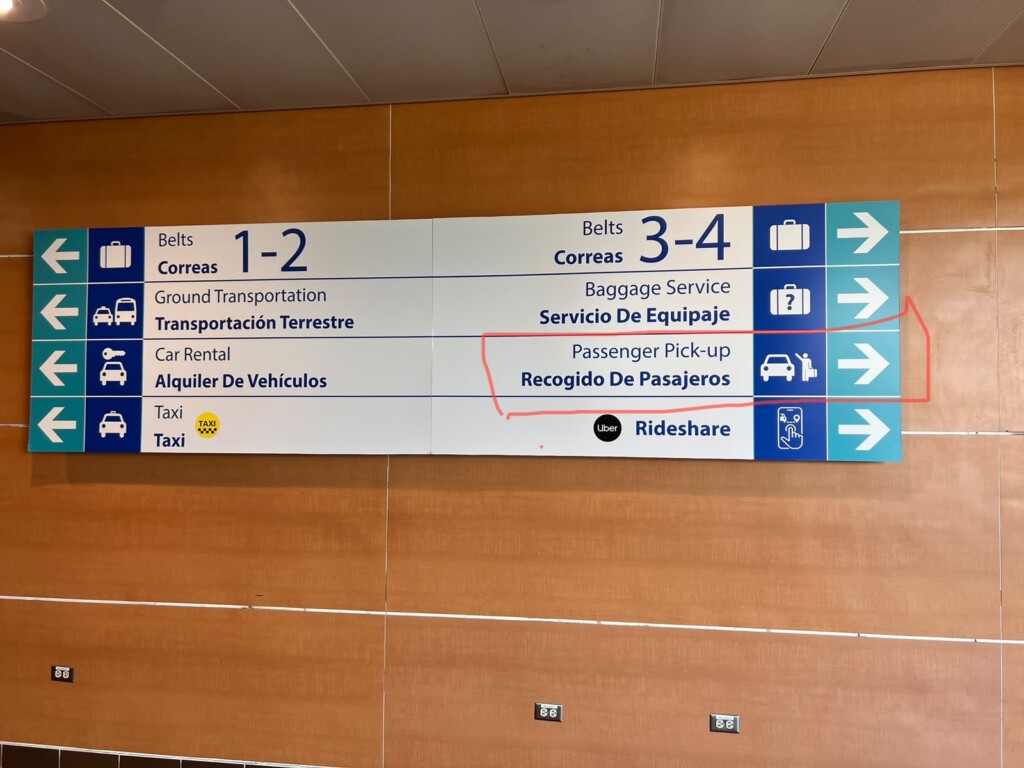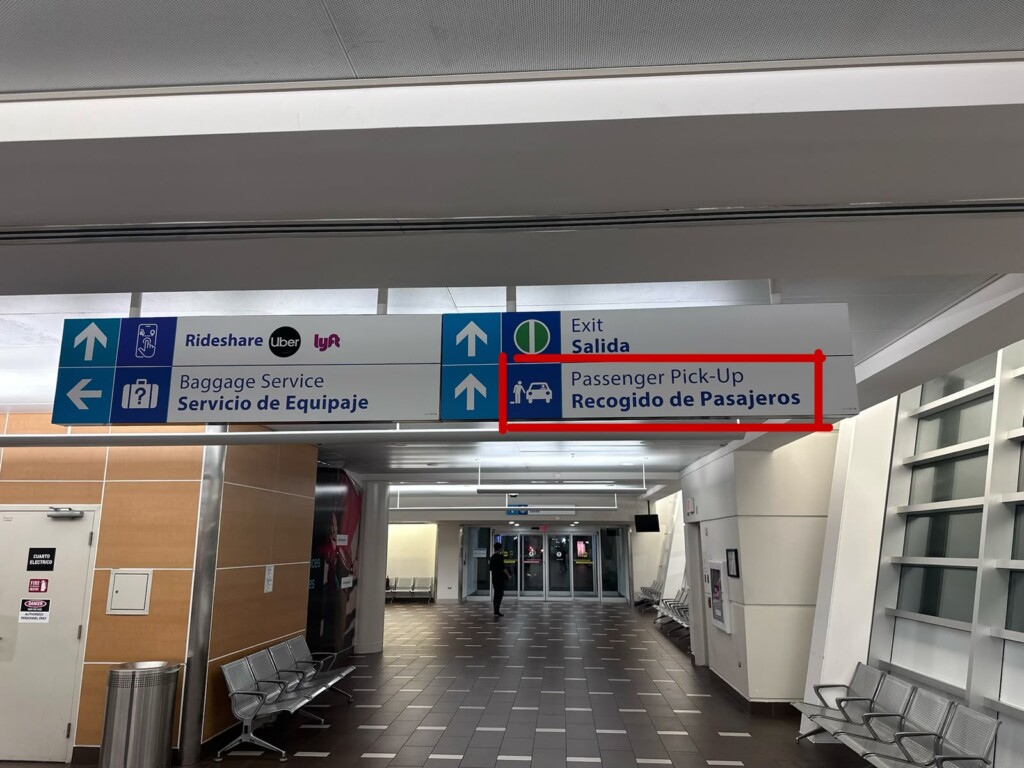
Welcome to San Juan! If you are flying with JetBlue, please follow these specific steps. Terminal A has two exits, and taking the wrong one can lead you to the public taxi line instead of your private driver.
Flight Tracking & Communication
- We’re Watching the Skies: Your driver will monitor your flight status in real-time and will be waiting outside the terminal when you land.
- Changes: If your flight number changes or you miss your flight, please notify your driver immediately via text.
Baggage & Important Exit Instructions: After you collect your bags at the JetBlue baggage claim:
- ⚠️ CRITICAL: DO NOT follow the “Ground Transportation” or “Taxi” signs. These will lead you to the public taxi line.
- The Correct Exit: Head toward Baggage Belt #4. Use the exit labeled “Passenger Pickup” located right by Belt 4 (see the photo below).
- Call Immediately: As soon as you step outside through that specific exit, call your driver immediately to coordinate the final few feet of your pickup.
Luggage Assistance (Porters)
- Airport Rules: Per SJU regulations, drivers are not permitted to enter the baggage claim area to assist with luggage.
- Need a Hand? Look for the official airport porters wearing grey shirts and black pants. They are available to help move your bags to the curb (they typically work for tips).
- At the Vehicle: Once you reach the car, your driver will be more than happy to help you load and organize all your luggage.